AI Trip Planners Compared: Which Ones Actually Build a Usable Itinerary in 2026?

AI Trip Planners Compared: Which Ones Actually Build a Usable Day-by-Day Plan in 2026?
Planning a trip sounds easy until you actually start doing it.
You pick a destination, search for hotels, save restaurants from Instagram, watch a few TikToks, check Google Maps, read reviews, and suddenly you have 37 browser tabs open.
Then comes the harder part.
How do you turn all those ideas into an actual plan?
Not a list of places.
A real plan.
Something like:
Monday: explore this area, have lunch nearby, visit one major attraction, then keep the evening free.** Tuesday:** move to another part of the city, visit two nearby places, stop for dinner and return to the hotel without spending half the day in traffic.
This is where AI trip planners have become much more interesting in 2026.
There are now plenty of tools that can create a day-by-day itinerary in seconds. But there is a big difference between an itinerary that looks good on a screen and one that you would actually want to follow while travelling.
So, which AI trip planners are worth looking at in 2026?
And more importantly, what should you check before trusting an AI-generated travel plan?
What Makes an AI Trip Plan Actually Usable?
Before comparing tools, it helps to define what “usable” actually means.
A good itinerary should not simply contain famous attractions.
It should consider things such as:
- Where you are staying* Distance between places
- Opening hours* Travel time
- Your budget* Your travel pace
- Meal breaks* The number of people travelling
- What you actually enjoy* Time for unexpected delays
For example, putting a museum on one side of a city, a restaurant on the opposite side and a sunset viewpoint somewhere completely different may look fine in a text response.
In real life, it can mean spending hours travelling.
That is why a pretty itinerary is not necessarily a good itinerary.
Recent 2026 comparisons of AI travel planners have also highlighted this difference: many tools can create structured plans, but logistics, route planning, personalization and what happens after the itinerary is generated are what separate the more useful tools.
The AI Trip Planners Worth Comparing in 2026
There isn’t one tool that is perfect for every traveller.
Some are better for visual planning.
Some are better when you already know your destinations.
Some are designed around conversational planning.
And some are trying to connect inspiration, itinerary planning and the actual trip itself.
Here are some of the names worth knowing.
1. Mindtrip — Good for Visual Trip Planning
Mindtrip is aimed at people who like to see their trip rather than just read about it.
Its combination of AI planning, maps and itinerary organization makes it useful when you are still deciding what you want to do.
The visual side is probably one of its biggest advantages.
You can explore places, build an itinerary and keep adjusting it as your ideas change.
This can be useful if your trip is still in the “maybe this, maybe that” stage.
Best for:
People who like maps, visual planning and exploring options before finalizing a trip.
Where it may not be enough:
If you want your travel plan to continue changing with you during the actual trip, you need to look closely at the tool’s live-trip features rather than just its planning interface.
Some current 2026 comparisons describe Mindtrip as one of the stronger all-around visual planning options.
2. Wanderlog — Good When You Want More Control
Wanderlog is slightly different because it has long been useful as a collaborative itinerary and trip organization tool.
It is particularly interesting for people travelling with other people.
You can organize places, see them on a map and adjust the itinerary instead of starting from scratch every time something changes.
This is useful for group trips because one person doesn’t have to keep sending screenshots in WhatsApp.
Everyone can work from the same plan.
Its AI features can help with recommendations and planning, but the bigger strength is still the actual trip organization.
Best for:
Groups, road trips and travellers who want to manually control their itinerary.
Where it may not be enough:
It can still require you to do some of the thinking yourself.
If you already have 30 saved places and want an AI to decide which ones belong together on which day, you may need to spend some time refining the result.
Current comparisons continue to rate Wanderlog highly for map-based and collaborative itinerary planning.
3. Layla — Good for Conversational Planning
Layla takes a more conversational approach.
Instead of filling out a complicated planning form, you can describe what you want in normal language.
For example:
“I have six days in Japan. I don’t want to rush. I like food, shopping and old neighbourhoods, but I don’t want to change hotels every night.”
That type of instruction is where conversational AI can be useful.
You can continue asking questions and change your requirements without rebuilding the entire request.
Best for:
Travellers who prefer talking through their trip instead of manually building every part.
Where it may not be enough:
The quality of the final plan still depends on how specific your instructions are.
“Plan me a trip to Thailand” is very different from:
“Plan seven days in Thailand for two people, with three nights in Bangkok and four in Phuket, mid-range hotels, relaxed mornings and no more than two major activities per day.”
The second prompt gives the AI something useful to work with.
Layla’s own 2026 comparison also positions different planners around different travel needs rather than treating one tool as universally best.
4. Wonderplan — Good for Simple Itineraries
Wonderplan is worth considering if you want something straightforward.
It is more suitable for people who don’t need a complicated travel planning system.
You provide the basic trip information and get a day-by-day itinerary.
For a short trip, that may be all you need.
If you are going somewhere for three or four days and mainly want a starting point, a simple planner can actually be better than an overly complicated one.
Best for:
Quick, basic itineraries.
Where it may not be enough:
The more complicated your trip becomes, the more you may need to manually check the recommendations, routes and timings.
5. ChatGPT and General AI Tools — Very Flexible, But You Need to Guide Them
General AI tools can also be surprisingly useful for travel planning.
The biggest advantage is flexibility.
You can ask questions like:
“Make this trip slower.”
“Remove the expensive restaurants.”
“Keep one free evening.”
“Don’t put two museums on the same day.”
“I’m travelling with my parents, so avoid too much walking.”
That level of conversation can be useful.
But there is an important catch.
A general AI response can sound very convincing even when some travel details need checking.
You should still verify opening hours, transport schedules, ticket availability, hotel locations and other time-sensitive information before booking.
In other words, AI is very good at helping you think through a trip.
It should not automatically become the final authority on every travel detail.
6. Turom — Built Around the Trip, Not Just the Planning Screen
Turom takes a slightly different approach.
The idea is not simply:
Tell us where you are going → get an itinerary → goodbye.
Turom is built around the idea that a trip keeps changing after you leave home.
Its AI planner lets travellers build and adjust an itinerary based on their preferences. Turom also focuses on turning creator travel content into actual itineraries, so a Reel or travel video can become a collection of places organized into a trip.
That is useful because a lot of travel inspiration now starts on social media.
You might save a Bali Reel because you like one café.
Then another video because of a beach.
Then a TikTok showing a restaurant.
Then a creator recommends a particular neighbourhood.
The problem is that these places are not automatically arranged into a sensible trip.
Turom’s approach is to help turn that inspiration into something more structured.
It also has an On-Trip feature designed to keep the itinerary useful once the journey actually starts.
For example, if a plan changes because of weather or timing, the itinerary can be adjusted instead of treating the original plan as fixed.
Best for:
Travellers who discover places through creators and want their inspiration turned into an actual trip plan.
Another useful part:
Turom is trying to connect planning with what happens during the trip, rather than treating the itinerary as the finish line.
A Quick Comparison
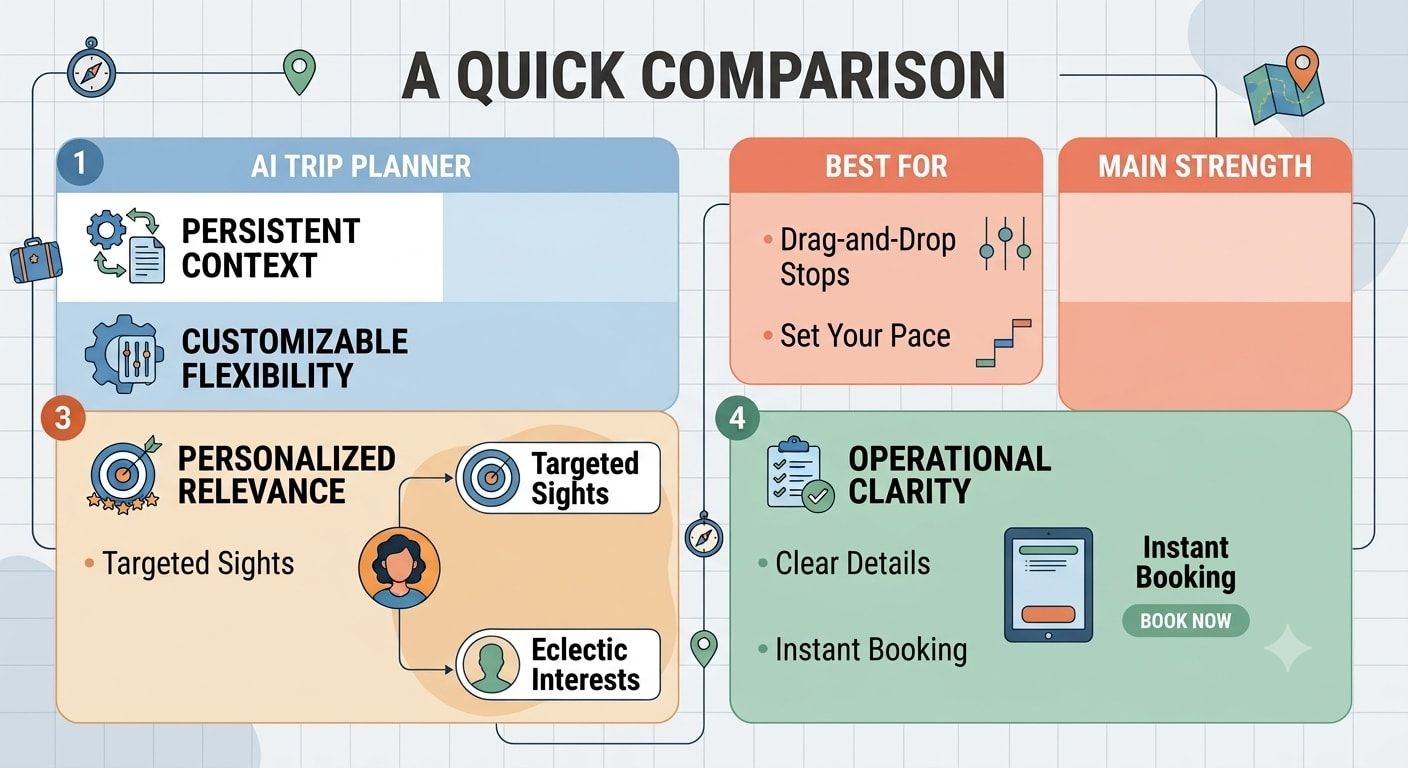
| AI Trip Planner | Best For | Main Strength |
|---|---|---|
| Mindtrip | Visual planners | Maps + visual itinerary |
| Wanderlog | Groups and road trips | Organization + collaboration |
| Layla | Conversational planning | Natural-language trip planning |
| Wonderplan | Simple trips | Quick day-by-day plans |
| ChatGPT | Flexible planning | Custom conversations and ideas |
| Turom | Creator-led travel planning | AI planning + creator content + On-Trip |
The important thing here is not to treat the table as a universal ranking.
The “best” planner depends on the type of trip you are trying to build.
The Real Test: Give Every AI the Same Trip
If you want to compare AI trip planners yourself, don’t simply read five reviews.
Give them the same trip.
This is probably the fairest way to see which one actually works for you.
For example:
Destination: Bali** Length:** 7 days** Travellers:** 2** Budget:** Mid-range** Travel style:** Food, beaches, cafés and a little culture** Pace:** Relaxed** Requirements:**
- No more than three major stops per day* Keep nearby places together
- One free evening* Don’t change hotels more than once
- Include travel time* Include breakfast and lunch breaks
Then compare the results.
You may find that one tool gives you a beautiful itinerary but puts places far apart.
Another may give you fewer places but a much more realistic schedule.
That tells you more than a star rating.
Don’t Judge an Itinerary by How Much It Contains
This is one of the biggest mistakes people make with AI travel planning.
More recommendations do not automatically mean a better trip.
If your seven-day itinerary has 40 attractions, that might sound impressive.
It may also be completely exhausting.
A good trip plan should leave some breathing room.
There should be time to sit at a café.
Walk around without a destination.
Take a longer lunch.
Go back to the hotel.
Or simply change your mind.
The best itinerary is often not the one with the most places.
It is the one you can actually enjoy.
Check the Geography Before You Trust the Plan

This is probably the quickest test of an AI-generated itinerary.
Open the places on a map.
Look at where they are.
If the itinerary sends you from the north of the city to the south and then back north again, something needs changing.
Grouping places geographically can save hours.
For example, instead of planning:
Hotel → attraction A → restaurant B → attraction C → café D
think:
Hotel → neighbourhood → nearby attractions → lunch → nearby café → hotel
It sounds obvious.
But AI can still create plans that look perfectly reasonable when written as a list.
The map tells a different story.
Check Opening Hours Too
Another easy mistake is assuming that every place is available whenever you want.
Museums may close on certain days.
Restaurants may have different lunch and dinner hours.
Attractions may require advance tickets.
Some experiences may only operate in the morning.
Before booking anything, verify the important details from the official source.
AI should help reduce the research work, not remove the need to check important travel information.
The Best AI Itinerary Is One You Can Change
Travel rarely goes exactly as planned.
Your flight can be delayed.
It can rain.
You might love one place and want to stay longer.
A restaurant may be full.
You may simply wake up and decide you don’t want to leave the hotel until noon.
A good travel planner should make changes easy.
Instead of:
“Okay, Tuesday is ruined. Let’s start again.”
You want:
“Move this activity to Wednesday and keep the rest of the day relaxed.”
That is a much more useful way of thinking about AI trip planning.
Creator Content Makes AI Trip Planning More Interesting

There is another big change in how people choose travel destinations.
People are no longer relying only on traditional travel guides.
They discover places through:
Instagram Reels.
TikTok videos.
YouTube Shorts.
Travel creators.
Saved Google Maps locations.
Friends’ posts.
This content can be great for discovering less obvious places.
But there is one problem.
A creator’s video is usually created to inspire you, not to build your entire itinerary.
A 30-second Reel might show five beautiful places.
That doesn’t mean those five places belong on the same day.
This is where an AI planner can be useful.
It can help turn scattered inspiration into a structure.
Turom specifically focuses on this creator-to-itinerary idea, allowing travel content to become places and days rather than remaining another saved video that you forget about.
What Should You Ask an AI Trip Planner?
Instead of only saying:
“Plan my trip.”
Try giving it useful constraints.
For example:
“Plan a 6-day Bali trip for two people. We prefer relaxed mornings, local food, beaches and cafés. Keep nearby places together, avoid more than three main activities per day and leave one afternoon free. We are staying in Seminyak for three nights and Ubud for three nights.”
That is much more likely to produce something useful.
You can also ask:
- “Is this day too busy?”* “Can these two places be moved to the same day?”
- “Which activity should I remove?”* “Can you make this cheaper?”
- “What happens if it rains?”* “Keep the evening free.”
- “Reduce travel time.”* “Give me a slower version.”
- “Which bookings need to be made in advance?”
These questions turn AI from a list generator into a planning partner.
So, Which AI Trip Planner Actually Builds a Usable Plan?
There isn’t one winner for everyone.
If you mainly want a visual planning experience, Mindtrip is worth considering.
If you are travelling with friends or planning a road trip and want more control over the itinerary, Wanderlog is a strong option.
If you like conversational planning, Layla can make the process easier.
If you want a simple itinerary without too much complexity, Wonderplan may be enough.
If you want maximum flexibility and don’t mind checking the details yourself, a general AI assistant can be useful.
And if your travel inspiration starts with Reels, TikToks and creator content, Turom is taking an interesting approach by connecting that inspiration with AI itinerary planning and an On-Trip experience.
The bigger lesson is this:
Don’t ask which AI writes the nicest itinerary. Ask which one gives you a trip you would actually enjoy following.
That is a much better test.
How Turom Can Help You Plan a More Usable Trip
If you are tired of saving travel videos without ever turning them into a real trip, Turom is built around that exact problem.
You can plan with AI, use creator content for inspiration, turn travel Reels into itinerary ideas and continue using your plan once the trip starts.
The goal is not to give you another long list of places.
It is to help you decide:
Where should I go?
Which places belong together?
What should I do each day?
And what happens when the plan changes?
You can explore Turom and start planning your next trip at turom.co.
Final Thoughts
AI trip planning has improved a lot.
But the best tools are not necessarily the ones that generate the longest itinerary in five seconds.
The useful ones understand that travel has limits.
You have limited time.
Limited energy.
A limited budget.
And you probably don’t want to spend your holiday running from one attraction to another just because an AI decided you could fit eight things into a day.
Use AI to reduce the boring part of travel planning.
Use it to organize your ideas.
Use it to compare options.
Use it to turn saved content into a realistic structure.
But still look at the map, check important details and leave some room for the unexpected.
Because a good itinerary should help your trip.
It shouldn’t become another thing you have to manage.
FAQs
What is an AI trip planner?
An AI trip planner is a travel planning tool that uses artificial intelligence to create or organize travel itineraries based on information such as destination, dates, budget, interests and travel style.
Which is the best AI trip planner in 2026?
There is no single best option for everyone. Mindtrip, Wanderlog, Layla, Wonderplan, general AI tools and Turom each focus on different parts of the travel planning process.
Can AI create a day-by-day itinerary?
Yes. Most dedicated AI travel planners can create day-by-day itineraries. The important part is checking whether the suggested places, timings and routes are realistic.
Can AI plan a trip around my budget?
Yes, you can provide a budget and ask an AI planner to keep recommendations within it. However, prices can change, so important hotel, flight and activity costs should be checked before booking.
Can AI plan a trip from Instagram Reels or TikToks?
Some travel tools are increasingly built around social content. Turom, for example, focuses on turning travel Reels into places, days and itinerary ideas.
Should I trust an AI-generated itinerary completely?
No. AI is useful for planning, but you should verify important information such as opening hours, ticket requirements, transport schedules, hotel locations and current prices.
How many activities should I put in one day?
There is no fixed number, but most travellers will enjoy a trip more when the schedule has some breathing room. Two or three main activities can often be more practical than trying to visit everything.
Can AI change my itinerary after I make it?
Many AI planning tools allow you to edit or regenerate parts of an itinerary. The more useful question is how easily the tool can adapt when you change one part of the trip without breaking everything else.
Is Turom an AI travel planner?
Yes. Turom combines AI travel planning with creator-led travel content and an On-Trip experience designed to keep the itinerary useful during the journey.
Is an AI travel planner better than planning a trip manually?
Not always. AI is particularly useful for reducing research and organizing ideas. You still get the best results when you provide your preferences and review the final itinerary yourself.
What makes a day-by-day itinerary usable?
A usable itinerary considers geography, travel time, opening hours, budget, energy levels, meal breaks and personal preferences. It should also leave enough free time so the trip doesn’t feel like a checklist.