How to Turn Your Saved Travel Reels Into a Real Itinerary
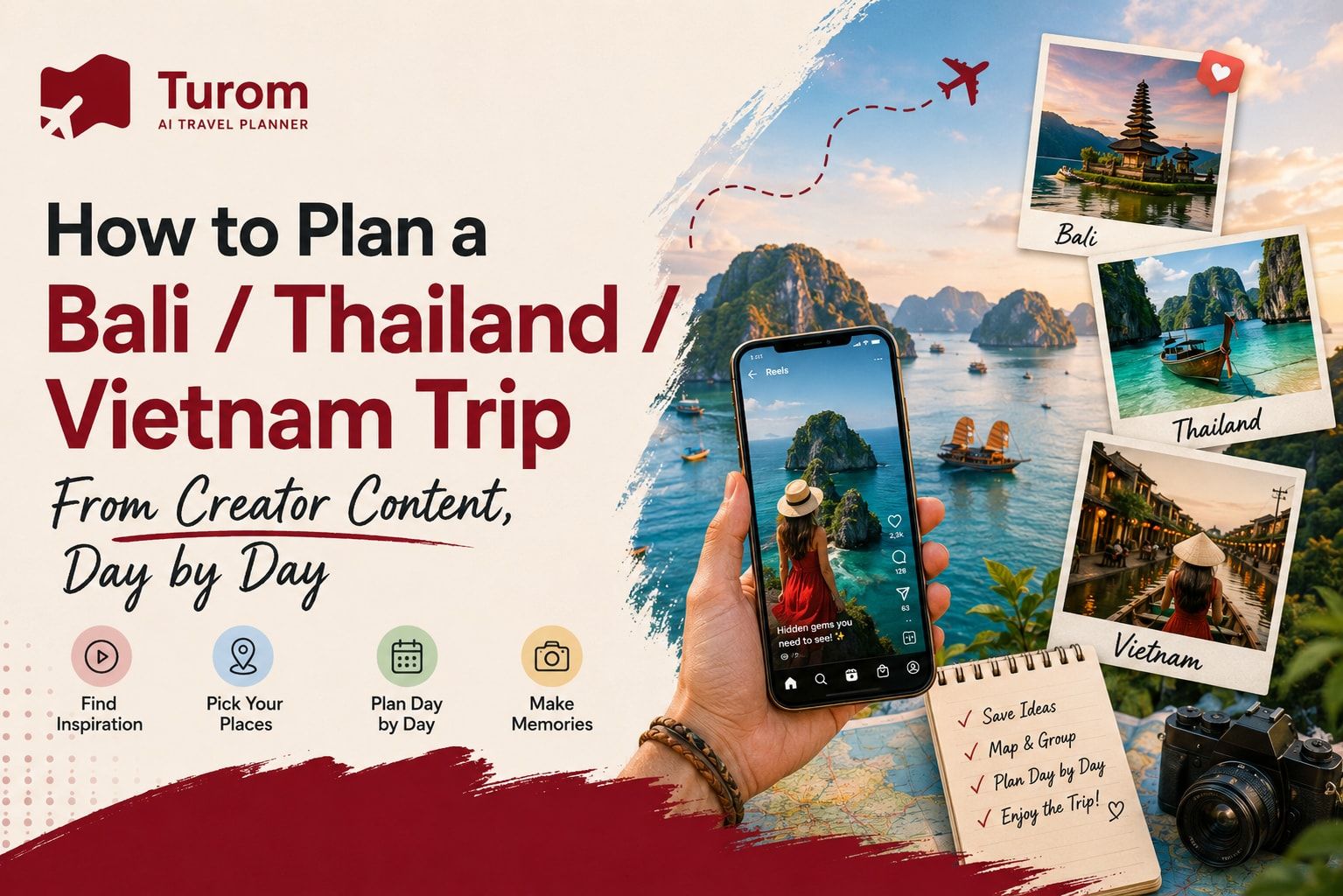
How to Plan a Bali / Thailand / Vietnam Trip From Creator Content, Day by Day
You save one Bali reel.
Then another one.
Then a Thailand video shows up on Instagram. A few minutes later, someone is recommending Vietnam. Before you know it, your phone has 30 saved posts, 15 screenshots and a folder full of places you “have to visit.”
And then comes the difficult part.
How do you actually turn all that creator content into a real trip?
A travel creator can show you a beautiful café in Bali, a hidden beach in Thailand or a food street in Vietnam. But a 30-second reel usually doesn’t tell you whether that place is close to the other places you want to visit, how long you should stay there, or whether fitting everything into one day is actually realistic.
That’s where the real planning starts.
The idea isn’t to copy someone’s entire trip. It’s to use creator content as inspiration and then build a plan that works for your own dates, budget, interests and pace.
Start by Saving Content, Not Booking Places
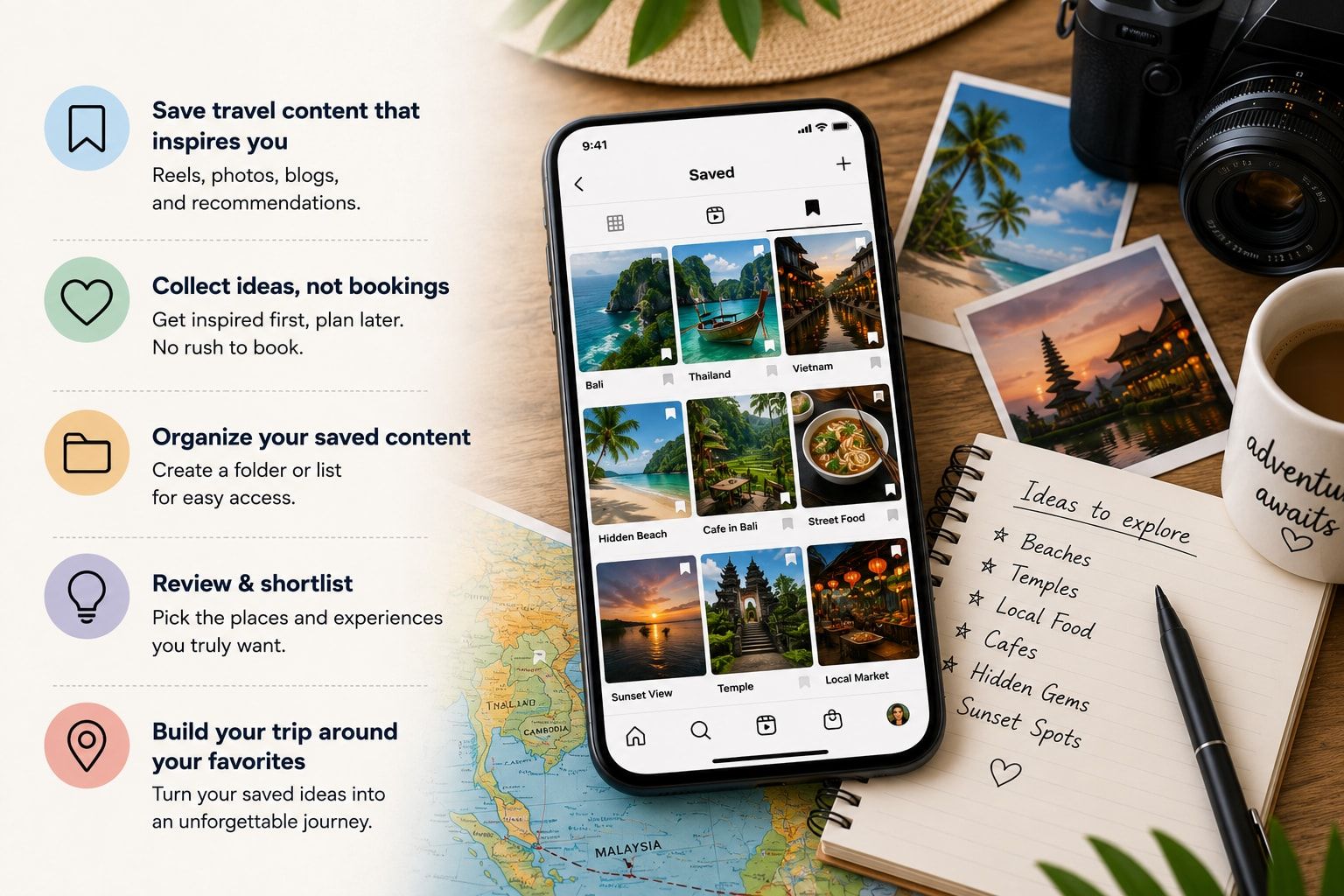
The first step is surprisingly simple.
Don’t start booking hotels as soon as you see a good reel.
Spend some time collecting content first.
You might save:
- Instagram Reels
- YouTube Shorts
- TikTok videos
- Travel vlogs
- Creator guides
- Restaurant recommendations
- Hotel reviews
- Activity suggestions
- Hidden places you don’t normally see in standard travel lists
At this stage, don’t worry about putting everything into an itinerary.
Just collect the ideas.
After a few days, go through your saved content and remove places that don’t really interest you anymore.
You will probably find that 30 saved places become 12 or 15 places you actually want to visit.
That’s a much better starting point.
Don’t Plan Your Trip Reel by Reel
This is one of the biggest mistakes people make.
You see a Bali reel showing a waterfall, then another showing a café, then another showing a beach.
It is tempting to create:
Reel 1 = Day 1
Reel 2 = Day 2
Reel 3 = Day 3
But that’s not how destinations work.
Two places that look close together in different videos may not be convenient to visit on the same day. And two places that look far apart on a map may sometimes fit together depending on your route.
Instead, think in terms of areas and travel flow.
Your saved content gives you the places.
Your itinerary decides when those places actually make sense.
Create Three Lists From Your Saved Content
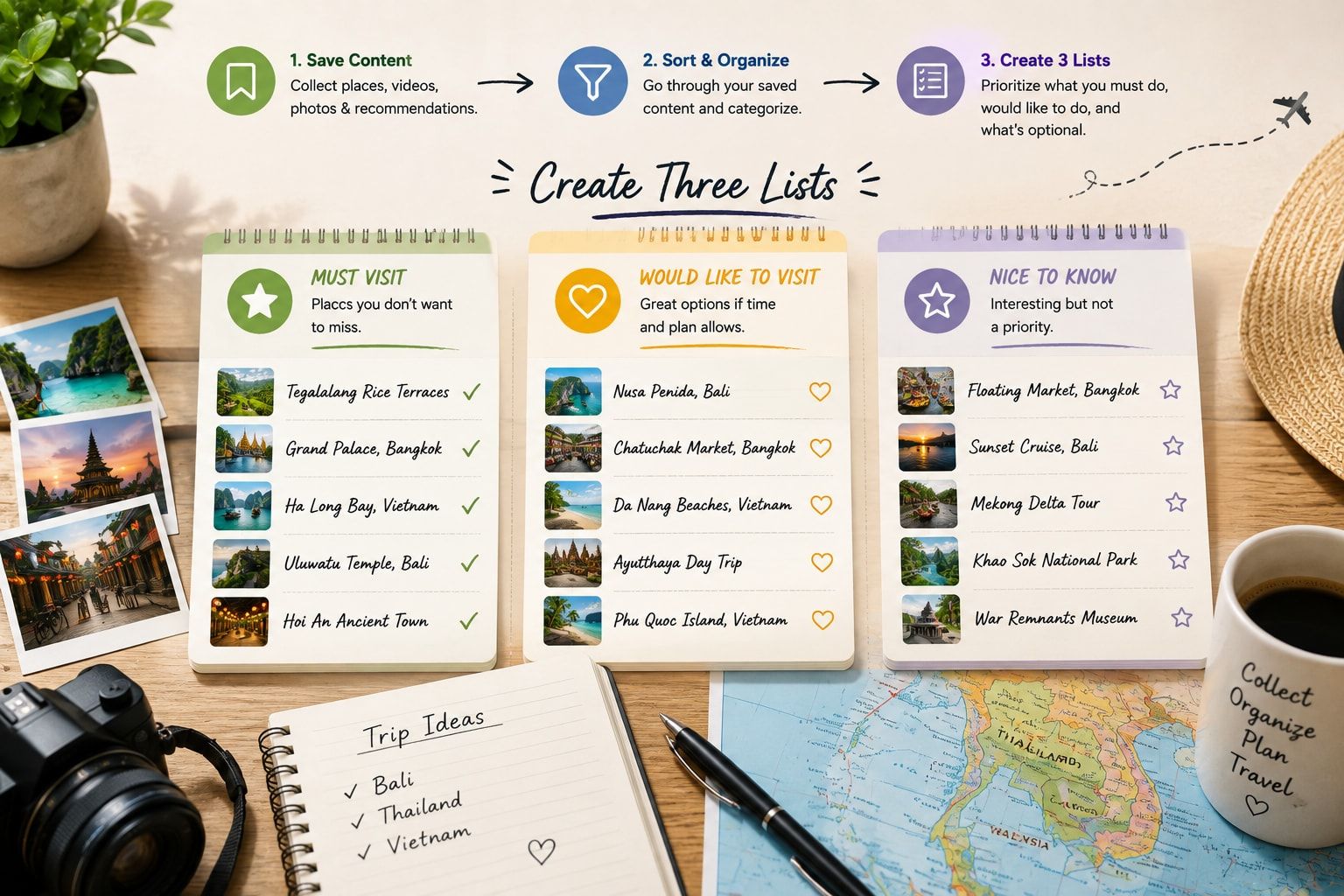
Once you’ve collected enough creator content, divide the places into three simple groups.
Must Visit
These are the places you would genuinely be disappointed to miss.
Maybe it’s a particular temple, beach, viewpoint, food experience or activity.
Try to keep this list short.
If everything is a “must visit,” nothing is really a priority.
Would Like to Visit
These are places you’d enjoy if they fit naturally into your route.
They are useful when you have extra time or when another activity gets cancelled.
Nice to Know
These are places that looked interesting, but you don’t need to change your itinerary just to visit them.
This small system makes planning much easier.
You stop trying to fit every saved post into your holiday.
Look at the Location Before Adding a Place to Your Day
A creator might say:
“Three amazing places you can visit in one day.”
That doesn’t necessarily mean those three places should be your three stops.
Open the map and look at where everything actually sits.
Ask:
- Are the places in the same area?
- How long will it take to travel between them?
- Is the route going in one direction?
- Will you need to go back through the same area?
- Is the final stop close to your hotel?
- Will traffic or road conditions affect the plan?
This is especially important for a place like Bali, where a beautiful-looking itinerary can become tiring if you’re constantly travelling between different parts of the island.
The same basic idea applies to Thailand and Vietnam.
A good itinerary isn’t just a list of interesting places.
It’s a logical route.
Turn Creator Content Into Experiences
Don’t just copy the place name from a video.
Ask what the creator was actually recommending.
For example, a reel might show a café in Bali.
Maybe what attracted you wasn’t the café itself. It was the relaxed morning atmosphere, the surrounding area or the type of food.
Another creator might show a night market in Thailand.
The real experience could be street food, local shopping and walking around the neighbourhood.
In Vietnam, a food video may introduce you to a dish you’ve never tried before.
Instead of simply writing down the restaurant name, note down the experience you want.
This gives you more flexibility later.
If that particular restaurant is closed, you can find another option without losing the purpose of the activity.
Build Your Days Around One Main Experience
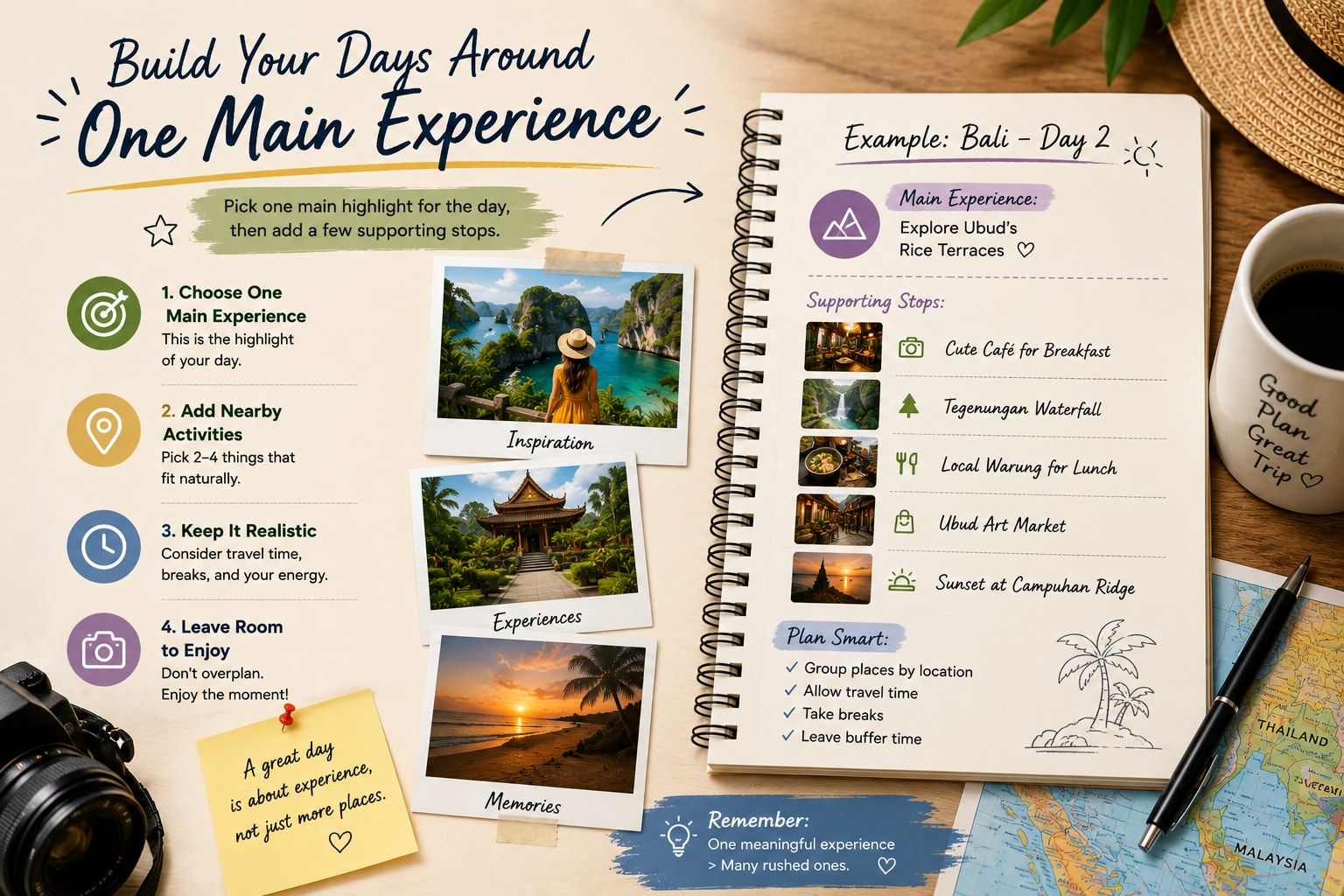
A useful way to create a realistic day is to choose one main experience first.
For example:
Day 1: Explore the local area and keep the day easy after arrival.
Day 2: Main sightseeing day.
Day 3: Food and local neighbourhoods.
Day 4: Beach or nature day.
Day 5: Shopping and relaxed evening.
You can then add smaller stops around the main activity.
This is much easier than starting with eight places and trying to work out how they fit together.
Don’t Put Every Viral Place Into the Same Day
This is where creator content can sometimes make trip planning harder.
One video shows a famous viewpoint.
Another shows a waterfall.
Another shows a café.
Another shows a sunset location.
All of them look amazing.
But putting all four into one day may turn your holiday into a transport schedule.
Instead, ask:
What do I want this day to feel like?
Maybe it’s a slow day.
Maybe it’s an adventure day.
Maybe it’s a food day.
Maybe it’s a photography day.
Maybe it’s a day with very little travelling.
Once you decide the feeling of the day, selecting activities becomes much easier.
Use Creators for Ideas, Not for Exact Timings
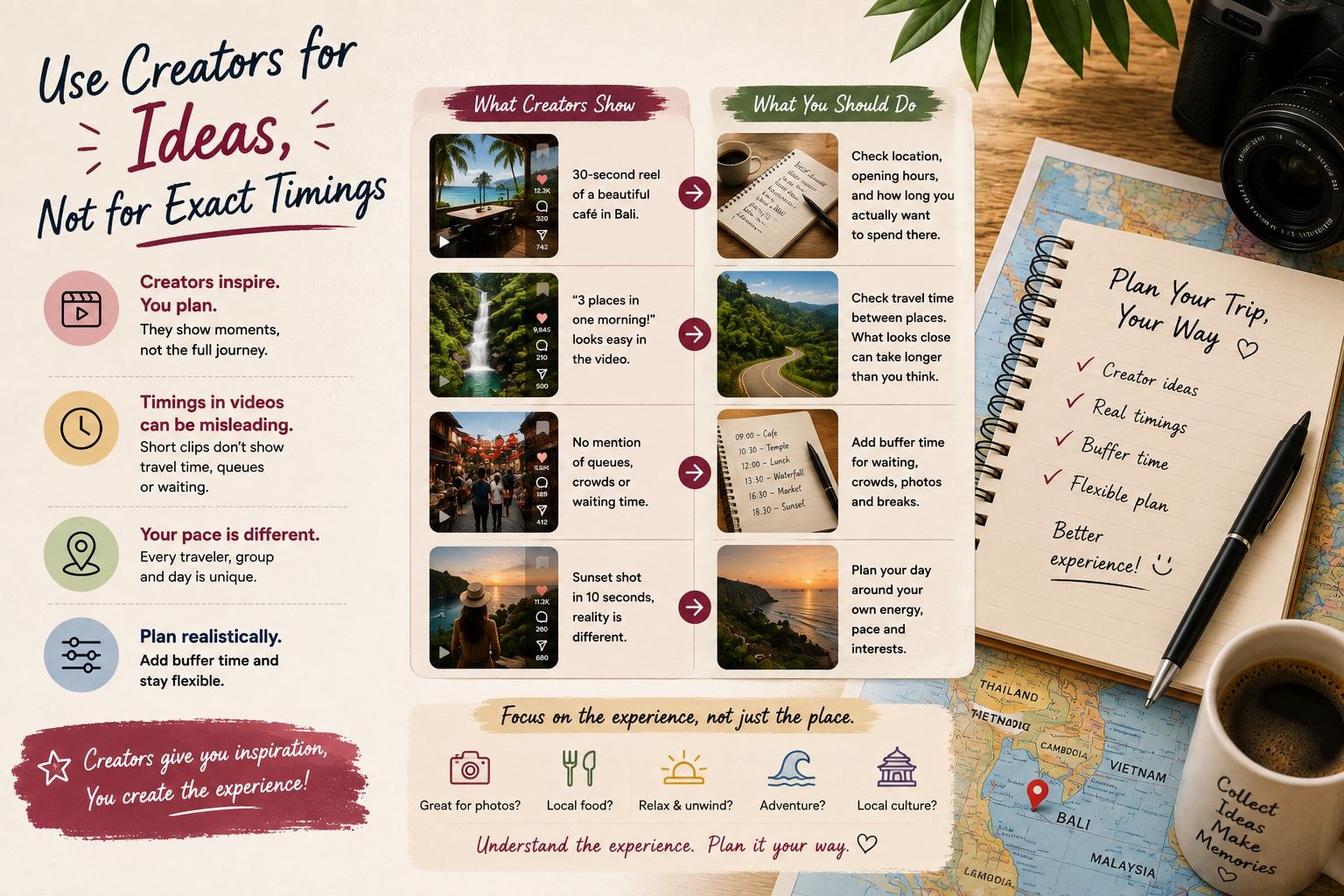
A creator may spend an entire morning at a place but show it in a five-second clip.
Another creator may visit three locations in a single video without showing the travel time between them.
This can make an itinerary look much faster than it actually is.
So don’t blindly copy timings from a reel.
Use creator content to answer:
“Is this something I want to experience?”
Then do separate planning for:
“When should I actually do it?”
That difference can make your itinerary much more realistic.
Keep One Empty Slot in Your Day
Don’t fill every hour.
Leave some space.
You may discover a great restaurant while walking around. You may want to spend longer at a beach. You might simply be tired and decide to return to the hotel.
Having a free window gives you room for these moments.
It also gives you somewhere to move an activity if the weather or your energy level changes.
A trip with some empty space often feels better than one where every hour is booked.
Plan Arrival and Departure Days Differently
Your first and last days shouldn’t look like normal sightseeing days.
On arrival day, you may have luggage, airport transfers, hotel check-in and general tiredness.
On departure day, you need to think about getting back to the airport with enough time.
So instead of putting your biggest activities on these days, keep them relatively light.
Save the more important experiences for the middle of the trip when you have more flexibility.
Example: Turning Bali Creator Content Into a Day
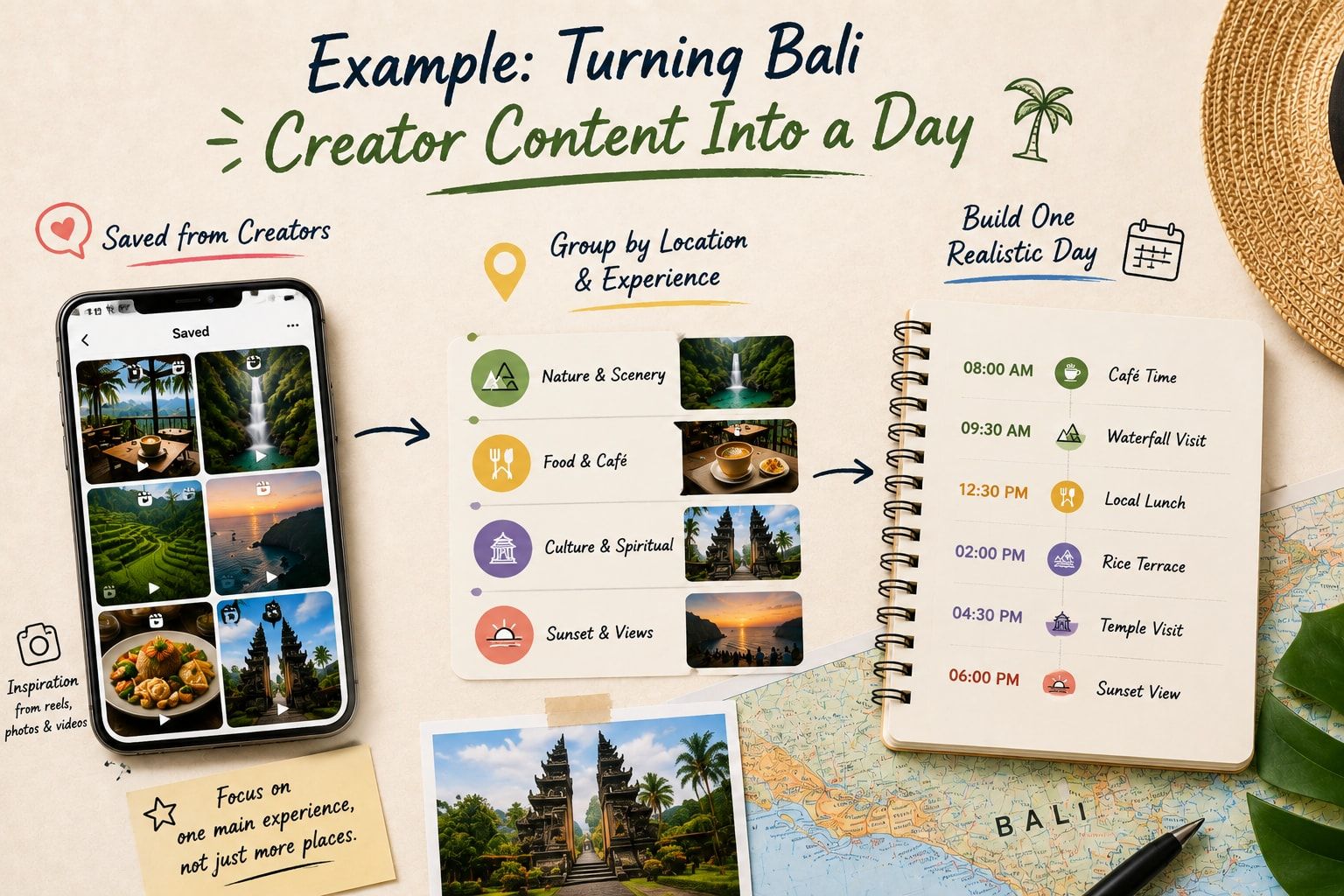
Imagine you’ve saved these creator recommendations:
- A popular café
- A waterfall
- A rice terrace
- A sunset viewpoint
- A local food place
- A temple
Don’t immediately make six separate itinerary entries.
First, group them based on location and experience.
You might create something like:
Morning: Café + nearby sightseeing
Late morning: Main nature attraction
Lunch: Local food recommendation
Afternoon: Rice terrace or another nearby experience
Evening: Sunset location if the route makes sense
You now have a day that feels like a trip rather than a collection of Instagram posts.
The exact locations and order should depend on where you’re staying, current conditions and actual travel times.
Example: Planning Thailand From Creator Content
Thailand can be approached in a similar way.
Maybe your saved content includes:
- Bangkok food spots
- Temples
- Rooftop views
- Island activities
- Beaches
- Markets
- Local cafés
Instead of mixing everything together, first decide which part of the country you are actually visiting.
Then build your itinerary around that route.
For example, your Bangkok days can focus on city experiences, food and sightseeing, while your island days can be slower and more activity-based.
The important thing is not to create a list of every place you’ve seen online.
Create a route that makes sense.
Example: Planning Vietnam From Creator Content
Vietnam is another good example of why creator content needs to be organised before booking.
You might save videos from completely different parts of the country.
One creator could be showing Hanoi.
Another might be in Da Nang.
Another in Hoi An.
Another in Ho Chi Minh City.
All of the videos may look like they belong to the same trip, but that doesn’t mean they should all be added to a short itinerary.
First decide how much time you actually have.
Then choose a route.
After that, use your saved creator content to fill the route with places and experiences.
This prevents the common mistake of trying to see too much of a country in too little time.
Check the Original Creator Before Trusting the Recommendation
Not every travel recommendation is equally useful for every traveller.
Look at the creator’s original content.
Ask yourself:
- Did they actually visit the place?
- Is the video recent?
- Does their travel style match mine?
- Are they travelling on a similar budget?
- Are they travelling with family, friends or alone?
- Are they recommending the place because they genuinely liked it or because it is part of a promotion?
You don’t have to reject sponsored content.
Just understand the context before making a decision.
A luxury travel creator’s “budget hotel” may still be outside your budget.
A backpacker’s favourite activity may not be what a family wants.
Context matters.
Keep the Creator’s Name With the Recommendation
This is a small thing that can be surprisingly useful.
Instead of saving:
“Coffee shop - Bali”
write:
“Coffee shop - recommended by @creatorname”
Later, when you’re planning the day, you can quickly remember where the recommendation came from.
It can also help you find the original video again if you need more information.
Turn Saved Content Into a Living Itinerary
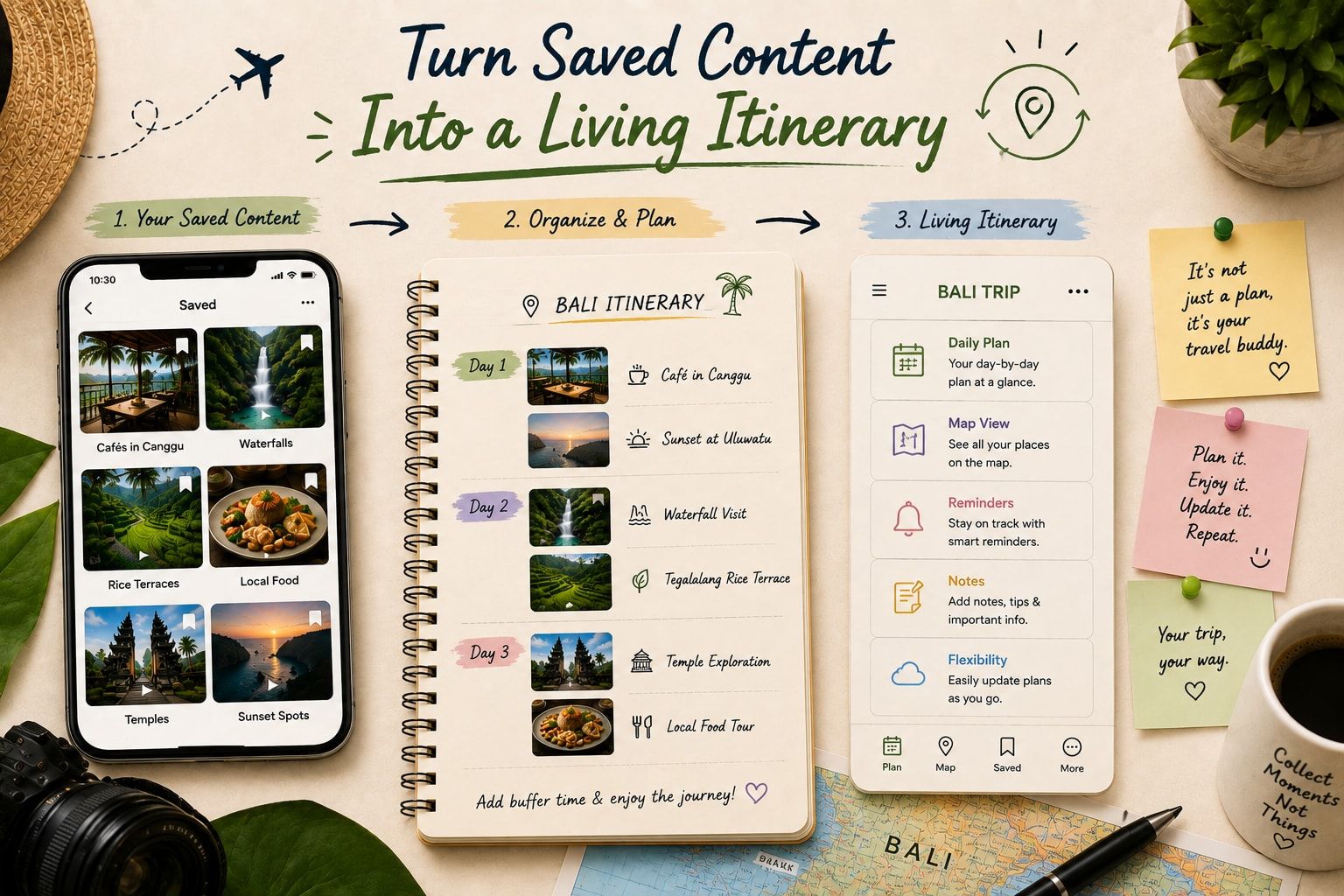
Your itinerary shouldn’t be completely fixed from the moment you create it.
Maybe it rains.
Maybe you’re exhausted.
Maybe a place is unexpectedly crowded.
Maybe you discover something better.
A useful itinerary should be easy to adjust.
For example:
Original plan
9:00 – Activity A
12:00 – Lunch
14:00 – Activity B
18:00 – Sunset
Changed plan
9:00 – Activity A
12:00 – Lunch
14:00 – Rest
16:00 – Activity B
18:30 – Sunset
You haven’t ruined the day.
You’ve simply changed it.
This is one reason day-by-day planning works better than creating one huge list of places.
Use AI to Connect the Dots
Creator content is great for inspiration, but organising dozens of recommendations manually can take time.
This is where AI travel planning can help.
Instead of asking an AI tool to simply give you “10 places to visit in Bali,” give it the information you’ve already collected.
For example:
“I’m staying in Ubud for three nights. These are the places I saved from creators. I prefer slow mornings, local food and nature. Please group these into realistic days without putting too many activities together.”
That’s a much more useful starting point.
The AI isn’t replacing your taste.
You’re giving it your taste and asking it to help organise the information.
Don’t Forget to Verify Important Details
Creator content can become outdated.
A restaurant can close.
Opening hours can change.
An activity may change its booking process.
A road or attraction may be temporarily unavailable.
So use creator content for discovery, but verify important details before you make non-refundable bookings.
This is particularly important for flights, hotels, entry requirements, attractions and time-sensitive activities.
A Simple Creator-to-Itinerary Workflow
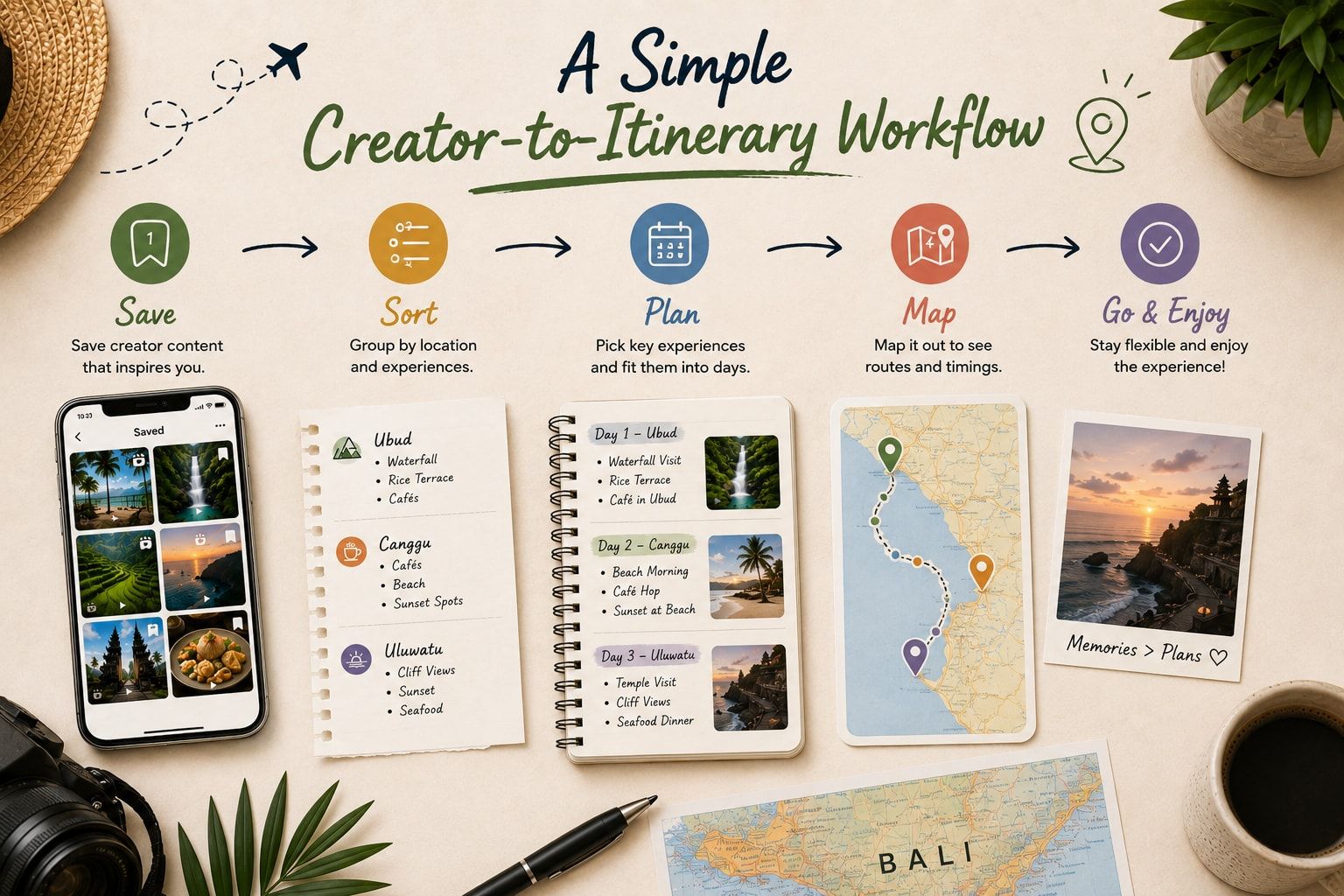
If you want a simple system, use this:
Step 1: Save interesting creator content.
Step 2: Remove recommendations you don’t actually care about.
Step 3: Divide the remaining places into must-do, maybe and optional.
Step 4: Put the places on a map.
Step 5: Group nearby places together.
Step 6: Give each day one main purpose.
Step 7: Add only a few smaller activities around it.
Step 8: Keep some free time.
Step 9: Check current information before booking.
Step 10: Keep the itinerary flexible.
That’s enough to turn a messy collection of reels into a trip you can actually follow.
How Turom Can Help Turn Creator Content Into a Trip
This is exactly where tools like Turom can make the process easier.
Turom is built around the idea that travel inspiration shouldn’t stop at a saved reel. Its platform can turn travel creator content into actual itinerary ideas, while its AI planning features let travellers adjust plans around their own preferences. Turom also has creator guides and consultations, so travellers can go beyond random recommendations and explore travel plans from people who actually create travel content.
For example, instead of saving ten Bali reels and forgetting about them, you can use creator content as the starting point for a more organised trip.
The useful part is that you still decide what you want to do.
AI can help connect the places, organise the days and make changes when the original plan doesn’t quite work.
And because Turom’s focus goes beyond simply generating an itinerary, its On-Trip feature is designed to keep the plan useful while you’re actually travelling, including changes to the day’s schedule.
If your phone is already full of saved travel reels, maybe the next step isn’t saving another one.
Maybe it’s finally turning those saved ideas into a trip.
FAQs
Can I really plan a Bali, Thailand or Vietnam trip using creator content?
Yes. Creator content can be a very good source of ideas for restaurants, activities, neighbourhoods, hotels and experiences. The important part is to organise those recommendations instead of copying someone’s entire itinerary.
Should I copy a travel creator’s itinerary?
Not exactly. Use the creator’s itinerary as inspiration. Your budget, hotel location, travel dates, interests and pace may be completely different.
How many places should I plan for each day?
There is no fixed number that works for everyone. A better approach is to choose one main experience and then add a few nearby activities that fit naturally around it.
How do I know if a creator recommendation is worth visiting?
Look at the creator’s full content, not just one viral video. Consider whether their travel style, budget and interests are similar to yours. Also check recent information before booking.
Is creator content better than traditional travel guides?
It can be useful for discovering places and getting a feel for how an experience actually looks. Traditional guides can still be helpful for background information and practical details. Using both can give you a more complete picture.
Can I use Instagram Reels to create a day-by-day itinerary?
Yes. Start by saving the reels you genuinely like, identify the places mentioned, group them by location and then build your days around realistic routes.
Should I plan Bali, Thailand and Vietnam in one trip?
That depends on how much time you have. Trying to cover too many places in a short holiday can mean spending a large part of the trip travelling. If you have limited time, it can be better to explore one destination properly rather than constantly moving.
Can AI help organise travel creator recommendations?
Yes. AI can help group places, suggest a logical order and build a day-by-day itinerary based on your preferences. However, important details such as opening hours, bookings and entry requirements should still be verified before travelling.
What is Turom?
Turom is an AI-powered travel planning platform that combines AI trip planning with travel creator content. It can turn creator inspiration into itinerary ideas and lets travellers adjust plans around their preferences. Turom also offers an On-Trip experience designed to keep the itinerary useful after the journey begins.
Can Turom turn a travel reel into an itinerary?
Yes. Turom says travellers can drop a travel reel into the platform and turn the places and experiences from that content into an itinerary.